
The Problem Hasn’t Gone Away If you’ve worked with Divi for any length of time, you know the feeling: the page loads and for a split second everything jumps. Headers shift, hero text snaps into position, columns expand. This is the combination of two related issues FOUC (Flash of Unstyled Content) and CLS (Cumulative Layout […]
issues
Agentic Browsing in Google PageSpeed Insights: What It Is, Why It Matters and How to Fix It
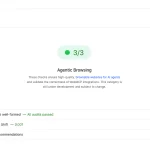
The Fifth Score Nobody Expected If you’ve opened Google PageSpeed Insights recently, you might’ve noticed something new sitting next to the familiar Performance, Accessibility, Best Practices, and SEO scores. It’s called Agentic Browsing and unlike the others, it doesn’t show a number out of 100. It shows a ratio: 2/3, 3/3, or similar. This wasn’t […]
How to Fix Cumulative Layout Shift (CLS) Issues on WordPress

What is CLS in Simple Terms Cumulative Layout Shift (CLS) is a real nightmare for many website owners, especially those whose sites are built on WordPress using Divi or Elementor. In recent years, Google has placed increasing importance on positive user experience, making this ranking factor much more critical. In this post, I will try […]
Google Search Console is no longer showing Core Web Vitals data

Core Web Vitals does not show data for desktops and mobile devices in the Google Search Console. Why? What should I do?? Recently, I’ve been receiving requests from clients with similar questions and issues related to Core Web Vitals and Google Search Console reports. Their main questions go something like this: Why is the number […]
Fix Duplicate URLs for WooCommerce Subcategories

Here’s a WooCommerce quirk that flies under the radar until your site audit flags it: every subcategory on your store is accessible under two different URLs simultaneously. For example, a subcategory “Footblall balls” nested under “Balls” will be reachable at both: Both URLs load the exact same page. WooCommerce sets a canonical tag pointing to […]
How I Cut Database Bloat and Blocked 37,000 Bot Requests on a WooCommerce Store with 88,000 Products

This is a real case. A WooCommerce store, 88,000 products was experiencing chronic 500 errors, high server load, and a database that had grown completely out of control. Two-phase engagement: audit first, then execution. I’ll walk through everything I found, everything I changed, and why. No fluff. The Baseline Problem Before touching anything, you need […]