
WordPress websites using LearnDash Learning Management System (LearnDash LMS or LearnDash) are powerful online learning platforms that include a lot of dynamic content: courses, quizzes, surveys, video lessons, certificates, and more. However, this kind of functionality places a significant load on the server and can negatively impact site performance as well as Core Web Vitals […]
how to
Case Study: WordPress Performance Optimization
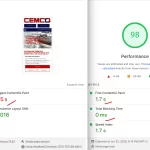
A client approached me with a slow WordPress site. They were using LiteSpeed Cache, but the performance metrics were far from optimal: What was done Results Takeaway Separating caching and fine performance optimizations can significantly improve Core Web Vitals without plugin conflicts, especially on dynamic or resource-heavy WordPress sites.
Case Study: Elementor Site Performance Optimization
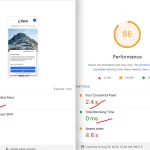
A client came with a slow Elementor-based WordPress site. Initial performance metrics were poor: What was done Results Takeaway For Elementor sites, combining a caching plugin for basic page cache with a dedicated performance plugin for CSS, JS, fonts, and lazy loading can drastically improve Core Web Vitals and overall site speed without conflicts.
Divi 5 CLS & FOUC: The Real Fix (Without Breaking Your LCP)

The Problem Hasn’t Gone Away If you’ve worked with Divi for any length of time, you know the feeling: the page loads and for a split second everything jumps. Headers shift, hero text snaps into position, columns expand. This is the combination of two related issues FOUC (Flash of Unstyled Content) and CLS (Cumulative Layout […]
Agentic Browsing in Google PageSpeed Insights: What It Is, Why It Matters and How to Fix It
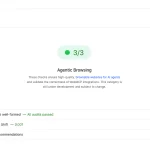
The Fifth Score Nobody Expected If you’ve opened Google PageSpeed Insights recently, you might’ve noticed something new sitting next to the familiar Performance, Accessibility, Best Practices, and SEO scores. It’s called Agentic Browsing and unlike the others, it doesn’t show a number out of 100. It shows a ratio: 2/3, 3/3, or similar. This wasn’t […]
How To Identify Fake Website Speed Optimization

All about website speed optimization scams. How do customers get cheated when optimizing site speed? Recently, we’ve often been approached by clients with problems optimizing their sites. Clients usually complain that their test scores are normal, but Google Search Console sends them warnings about poor Core Web Vitals scores. They also notice a worsening of […]