
Managing SEO for WordPress sites often raises the question of whether pagination pages should be indexed. By default, Yoast SEO used to include a setting to mark paginated pages with noindex, follow, but this option was later removed in line with Google’s updated recommendations. However, not all site owners agree with this approach. If you […]
woocommerce
How to Add a Simple Popup Notification to Your WordPress Site Without Plugins
Adding a quick popup to your WordPress site can be a great way to deliver important messages, announcements, or offers without slowing down your site or installing yet another plugin. Here’s a lightweight, performance-friendly solution using just a bit of JavaScript, HTML, and CSS. No external libraries. No dependencies, No bloat. Just change the text […]
How to fix the double-click problem when navigating to the reviews tab in WooCommerce
A lot of WooCommerce sites require the user to click twice to get to the reviews block, which are in a separate tab (Tab). This inconvenience significantly degrades the user experience and can lead to lower conversion rates and visitor satisfaction. To solve this problem, all you need to do is make small changes to […]
How To Stop Spam Registrations in Woocommerce

If you are a WooCommerce store owner, then as the popularity (traffic) of your site grows, you will definitely face the problem of unwanted registrations (spam/bot) that make it difficult to keep your user database clean and up-to-date. In this article, I will describe all the methods to fight spam registrations on the WooCommerce platform. […]
Add Purchased Products Column to WooCommerce Orders
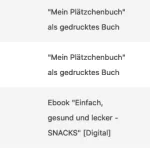
In WooCommerce, checking the purchased items for each order can be cumbersome as it often requires opening each individual order or downloading reports. However, there’s a faster solution. This code snippet restores a useful feature that was once part of WooCommerce by adding a new column to the WooCommerce orders list (Woocommerce>Orders). The column displays […]
How to Change PayPal and CC Logos on WooCommerce Checkout
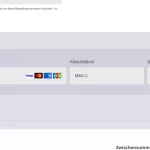
Probably you have noticed that on the checkout page of your WooCommerce site there is no logo for Paypal payment method. Also the icon for credit card payment method looks very unexpressive. If you want to change or personalize the logo on the checkout page of your WooCommerce website, then I have prepared this simple […]