
A fast-loading site not only improves the user experience but also positively impacts SEO rankings on search engines like Google. One of the most effective ways to speed up a site on the WordPress platform is by using cache plugins. In this post, we will take a detailed look at what cache plugins are, the […]
woocommerce
Perfmatters Settings: Complete Configuration Guide

How to speed up website loading on WordPress If someone told me tomorrow that I could only take one WordPress plugin to a desert island, I would choose the Perfmatters plugin🙂 Almost every website user on WordPress has experienced the problem of slow loading over time. Even if you don’t notice it, Google Search Console […]
How I Cut Database Bloat and Blocked 37,000 Bot Requests on a WooCommerce Store with 88,000 Products

This is a real case. A WooCommerce store, 88,000 products was experiencing chronic 500 errors, high server load, and a database that had grown completely out of control. Two-phase engagement: audit first, then execution. I’ll walk through everything I found, everything I changed, and why. No fluff. The Baseline Problem Before touching anything, you need […]
How to fix the “Autoloaded Options Could Affect Performance” issue after WordPress 6+ update
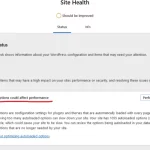
If you’ve updated to WordPress 6+ and opened Site Health you may have spotted this critical issue: “Autoloaded options could affect performance.” A lot of people dismiss it, or worse patch it away by tweaking a threshold value in core files. That’s the wrong move. Let me explain what’s actually happening, why it matters, and […]
How to Create an Effective SEO Strategy

You’ve built a website, but you’re not getting sales, calls, or inquiries? Is your website lost among competitors in search results? If these problems sound familiar, this article will explain why SEO is essential, what to focus on, and which factors are myths. In 2026, SEO remains a powerful tool for attracting customers, but optimization […]
How to prevent bots from adding items to cart
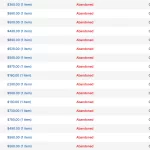
If you use the Abandoned Cart Recovery for WooCommerce plugin (or its similar plugin), you’ve probably noticed that many products are added by bots. The main problem is that some of these bots are googlebot. Why does Googlebot add items to the cart? Googlebot crawls the site by clicking on all available links, including “Add […]