Is your WordPress website suffering from unexpected layout shifts? Cumulative Layout Shift (CLS) can frustrate your visitors, hurt your Google rankings, and reduce conversions. I help WordPress websites fix CLS issues quickly and effectively, improving user experience and boosting site performance.
Fix Layout Shifts on Your WordPress Website Today!
Fixing CLS properly requires real experience and a deep understanding of how WordPress, themes, page builders, and optimization plugins work together. I have successfully resolved 300+ CLS and Core Web Vitals issues on WordPress websites of different sizes and complexity. A lot of CLS problems cannot be solved with plugins or automated tools they require manual analysis and code-level fixes.
I handle everything from minor visual shifts to complex CLS issues related to:
- Themes and page builders
- Font loading
- FOUC
- Plugin conflicts and optimization settings
- Dynamic and injected content
Page Builders & Plugins I Work With
I regularly fix CLS issues on websites built with: Divi, Elementor, Thrive Architect, WPBakery, Oxygen, Beaver Builder, Visual Composer, ACF, Genesis, Woodmart, and more.
How I Fix CLS Issues on WordPress
- Audit pages using Chrome DevTools, Lighthouse, and PageSpeed Insights
- Identify shifting elements and layout problems
- Fix theme, plugin, or builder issues (Elementor, Divi, etc.)
- Adjust font loading, FOUC, and dynamic content
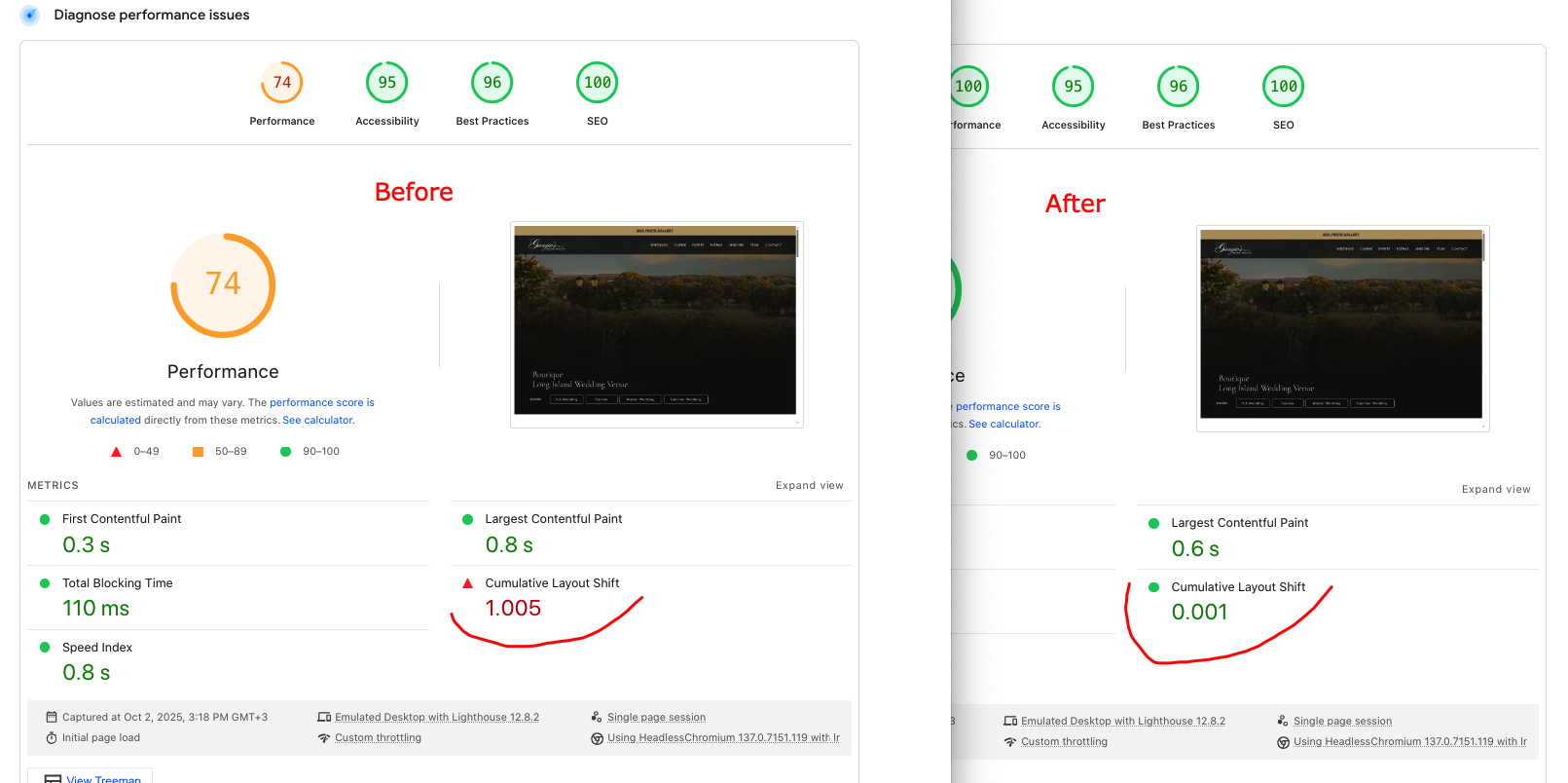
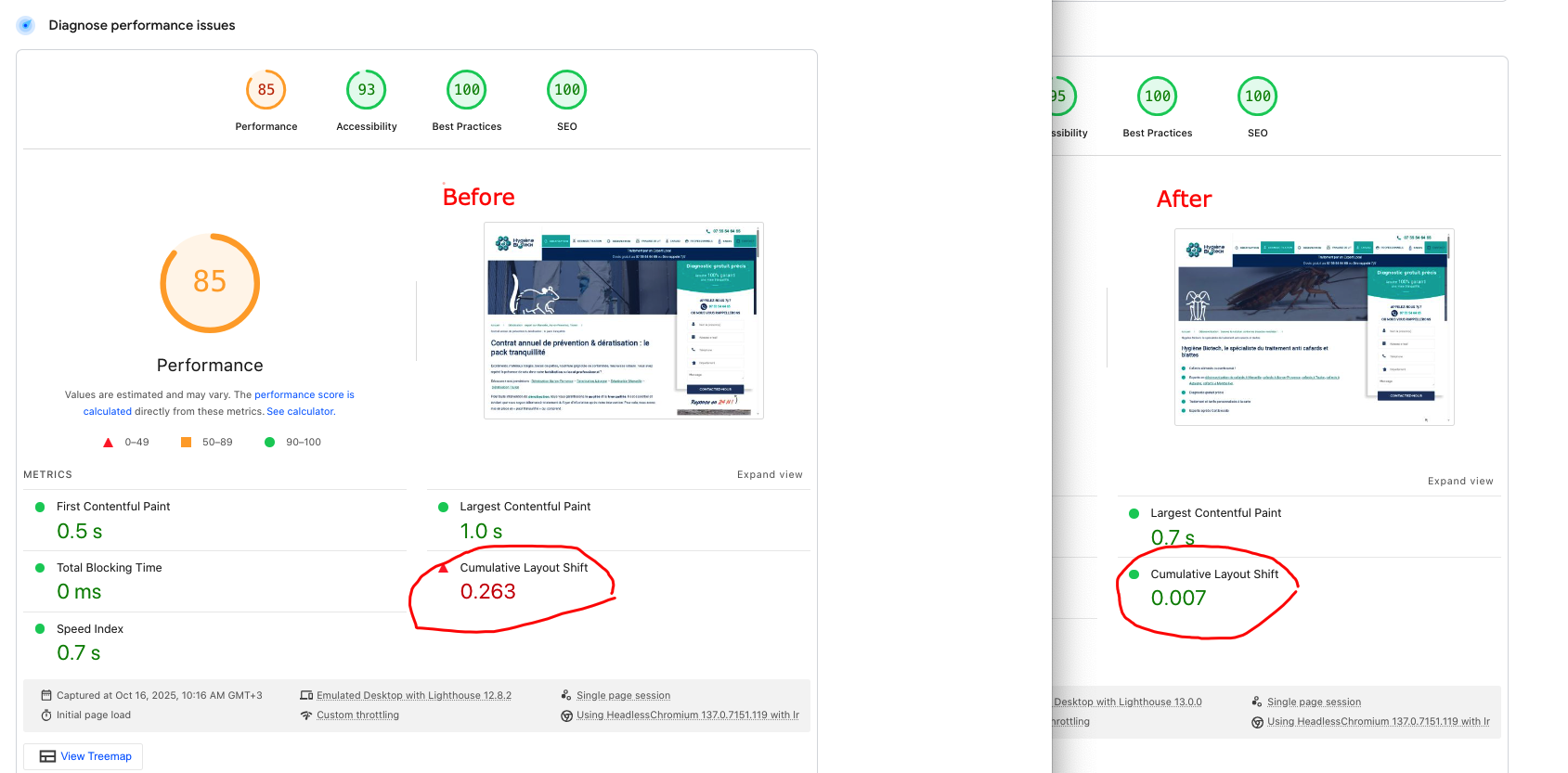
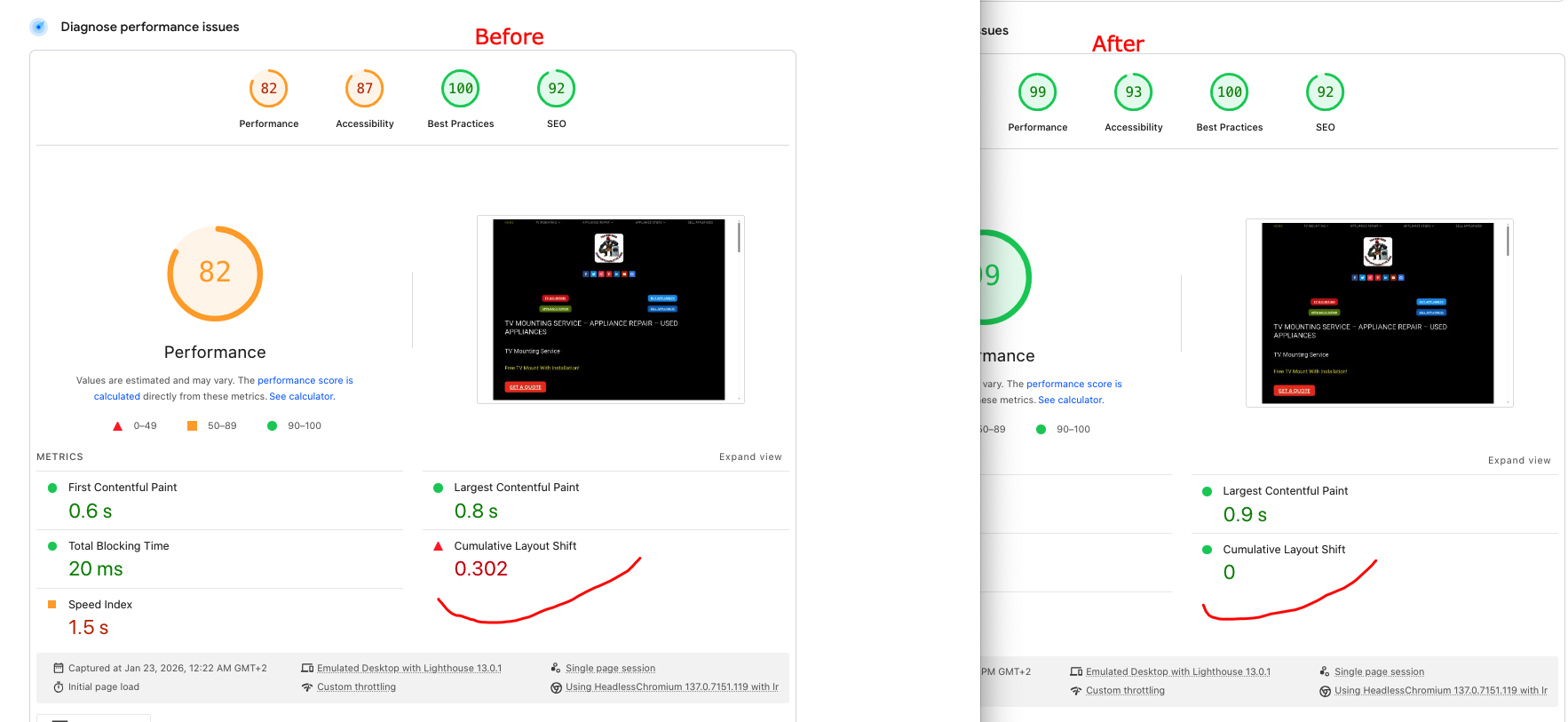
- Verify improvements instantly using Lighthouse and CLS Debugger
Before & After Results
What is Cumulative Layout Shift (CLS)?
Cumulative Layout Shift (CLS) is one of the Core Web Vitals metrics and measures the visual stability of a webpage. CLS issues occur when elements on a page unexpectedly move during loading or user interaction, negatively affecting user experience and SEO.
The more visible elements shift on the screen, the higher your CLS score becomes. Google recommends keeping CLS below 0.1 for a good user experience. Poor CLS scores can lead to lower rankings and reduced user engagement.
If you want a detailed explanation, you can also read: “What Is Cumulative Layout Shift (CLS) and How to Fix It”.
Why CLS Is Important for SEO and User Experience
CLS has a direct impact on user experience. Visitors expect pages to be visually stable, and unexpected layout shifts often cause frustration, misclicks, and higher bounce rates.
Google uses CLS as part of its page experience signals, meaning websites with poor CLS performance may lose visibility in search results. Fixing CLS helps improve usability, trust, and long-term SEO performance.
Common Causes of CLS:
- Ads not reserving space
- Incorrect optimization plugin settings
- Bugs in themes or builders (e.g., Divi, Thrive, Genesis)
- Shifting text on load (e.g., font-display: swap)
- FOUC (flash of unstyled content)
- Undefined height values for images or videos
- Overly aggressive optimization plugin settings (e.g., Seraphinite Accelerator, NitroPack, WP Rocket, LiteSpeed Cache, Autoptimize, W3 Total Cache, etc)
- Infinite scrolling (still considered a CLS-causing issue by Google)
- Incorrect placement of pop-up elements (e.g., ads, cookie notices)
- Improper block loading order (often caused by using the order property on the first screen)
Types of Content Layout Shift Issues on WordPress:
- CLS During Page Load
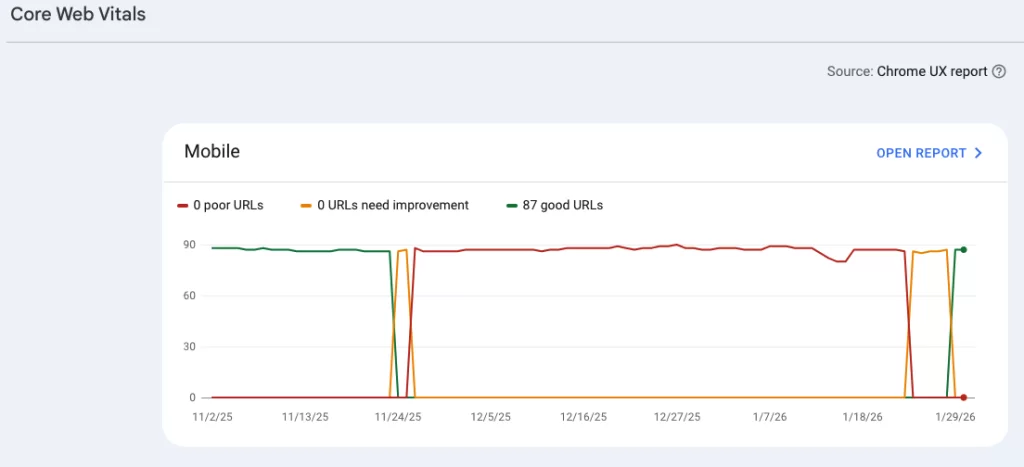
These issues are usually easy to detect using tools like Google PageSpeed Insights, Lighthouse, or CLS debuggers. After fixing them, Core Web Vitals data in Google Search Console may take up to 28 days to update.
- CLS During User Interaction (Core Web Vitals CLS Issues)
This type of CLS is more complex. A page may score well in PageSpeed Insights lab tests but still fail Core Web Vitals in real-user data.These issues occur when elements shift during scrolling, clicking, or dynamic content loading. Fixing them requires identifying the exact elements causing instability using Chrome DevTools, Lighthouse, and manual testing. In some cases, results may take 1–3 months to fully reflect in Google Search Console.
Ready to Fix CLS Issues on Your WordPress Site?
If you want to eliminate layout shifts and improve your Core Web Vitals once and for all, feel free to contact me for an audit and exact quote.
What My Clients Say
Trusted by WordPress site owners who needed real CLS fixes, not plugin tricks.


Frequently Asked Questions
What is CLS?
CLS (Cumulative Layout Shift) measures how much page elements move unexpectedly during load and interaction.
How can I check CLS on my website?
You can use tools like Google PageSpeed Insights or Lighthouse to measure CLS and get recommendations on how to fix it.
Can I fix CLS issues myself?
In simple cases yes, if you understand CSS, JS, PHP, and HTML. Most real-world CLS issues require experience.
Can you fix CLS via TeamViewer or AnyDesk?
No. CLS fixes require code changes, configuration updates, and repeated testing.
Do you provide reports?
Yes. I provide photo/video proof and a detailed PDF report of all changes.
How long does it take to optimize CLS on a WordPress site?
Usually 1–2 days for most WordPress sites. Complex or dynamic sites may take longer.
Can you fix CLS issues on websites built with Elementor or other page builders?
Yes. I fix CLS on Elementor, Divi, Avada, WPBakery, Thrive, and other builders.
Will optimizing CLS improve my website's Core Web Vitals score?
Yes. CLS is one of the three Core Web Vitals metrics and directly affects your CWV score.
Can CLS issues affect my site's revenue or conversions?
Absolutely. Layout shifts can cause misclicks and abandoned actions, especially on eCommerce sites.
How much does CLS optimization cost?
Most projects cost $100–$150, depending on complexity. Custom quotes are available.
What do I need to get started?
Just Contact me, and I’ll analyze your site and provide an exact price, clear plan and timeline.